

Subscribe to our newsletter

  • This field is for validation purposes and should be left unchanged.

Building an Accessible Website

By | Design, Development |

At Web Ascender we strive to build websites that everyone can enjoy. I have outlined some of the key components to building a highly accessible website. By following these guidelines even website visitors with disabilities will be able to enjoy your content, products and services. When I talk about accessibility, I am talking about creating a website or application that…

Read More
WordPress Plugin: WYSIWYG Editor

By | Design |

WordPress provides a handful of great out-of-the-box widgets for you to use on your website. These widgets allow you to add new features and content directly into any available sidebar, giving you more power to create a unique, custom look. If you’ve ever tried working with the Text widget, you’ll know that it is one of the more basic widgets…

Read More

What We Can Learn From Arby’s Logo History

By | Design |

Re-branding can be an intimidating process for major businesses that have an established consumer base, especially when those changes involve updates to a company’s logo. Despite the risk of distancing loyal customers, many major companies have undergone successful re-branding throughout the last few decades. However, some logo evolutions include designs that never should have happened. The Arby’s logo is a prime example of…

Read More

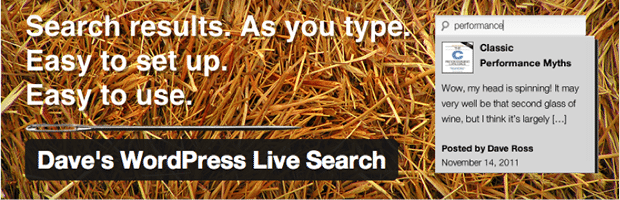
Dave’s WordPress Live Search – Autocomplete Made Easy

By | Design |

Have you ever typed into a search box and seen result suggestions appear before your very eyes? It’s pretty handy, right? Sites like Google, Amazon, Ebay, and Apple all use this feature within their website.  It’s called “live search” or sometimes “autocomplete.” Today, I’d like to focus on a plugin I recently discovered which adds this functionality to your WordPress…

Read More

DotNetNuke Host Settings

By | Design |

One of the great benefits of DotNetNuke is the ability to run multiple websites using the same DotNetNuke installation and database.  Each website within your DotNetNuke installation is also referred to as a Portal.  DotNetNuke can easily run hundreds of Portals on a single install. After DotNetNuke is first setup, there will be a default Portal which is usually used…

Read More

DotNetNuke Basics | Display Modes & Panes

By | Design |

Control Panel After logging in as a website Administrator or Super User (Host) you will then see the Control Panel at the top of the page. This control panel allows you to add pages, edit page information, add modules to pages, and perform some site-level actions such as managing Users and Files. Modes There are three modes: View, Edit and…

Read More

DotNetNuke Forms and Lists

By | Design |

The Forms and Lists module is a very versatile module that allows you to collect, save, and display data as you see fit. For example, you can create a list of staff, employee contact information, documents, articles, and many other things. You can control exactly what data is collected, and you can even control how it is displayed if you are willing…

Read More

DotNetNuke Working With Pages

By | Design |

Pages are the fundamental building block for the navigation and content on your website. DNN allows you to create as many Pages as you like, and Pages can be organized into Parent/Child relationship (sub-pages) to form the navigation structure of your site. A DNN Page can hold as many Modules as you like, and you can re-arrange the Modules on the page…

Read More

DotNetNuke Working With Modules

By | Design |

Modules are the true functional elements of DotNetNuke. The majority of the items that you and your users will be interacting with are modules. After you have added a page or are on an existing page you will have Pane elements. You can see your Panes by switching your DNN mode in the far upper left from Edit to Layout. You will then be…

Read More